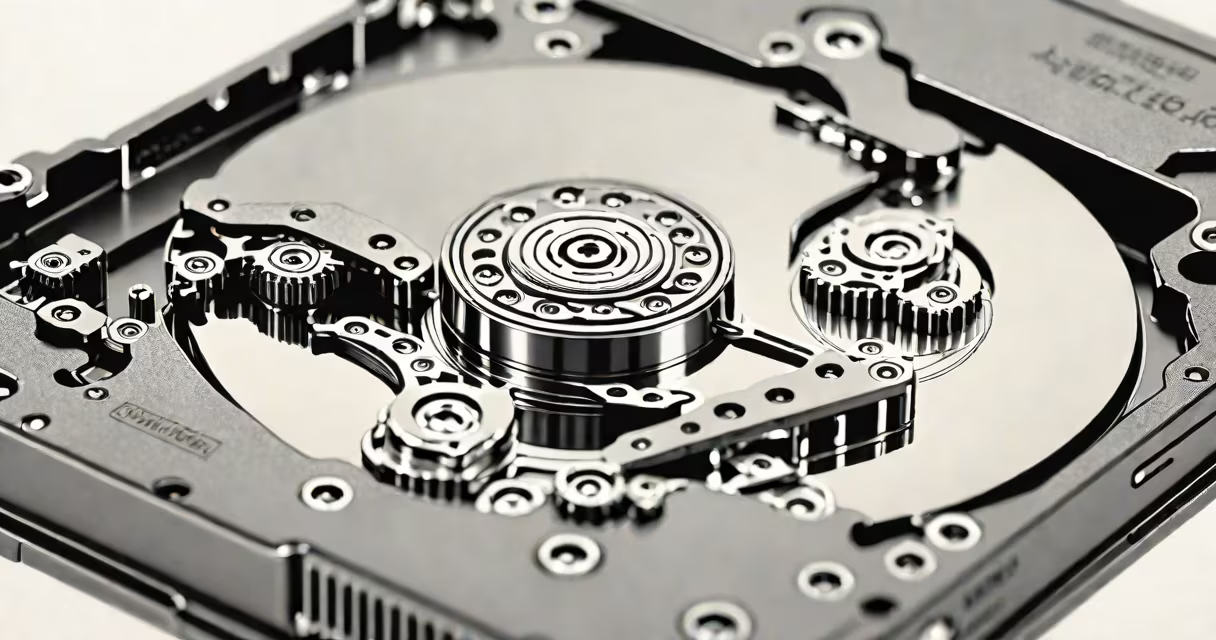
A hard disk is a non-volatile storage device that uses magnetized spinning platters to store digital data persistently. It retrieves and writes information via a moving read/write head positioned over the rotating surface. This mechanism enables long-term data retention even when power is off.
Hard disks operate using precise mechanical motion. Data is stored in concentric tracks on one or more aluminum or glass platters coated with a ferromagnetic material. A servo-controlled actuator arm moves the read/write head across the platter's surface, aligning it with specific sectors. When the disk spins at 5,400 to 15,000 RPM, the head detects or alters magnetic polarity to represent binary states.
Modern hard drives integrate advanced error correction and caching. Firmware manages bad sectors automatically, rerouting data to spare areas. Internal cache buffers frequently accessed data, reducing latency during repeated reads. These features improve reliability and performance under sustained workloads.
Data enters the hard disk through a controller interface-typically SATA or SAS. The controller translates logical block addresses into physical locations on the platter. Once the head reaches the correct track, it reads or writes bits by flipping magnetic domains on the surface.
For example, a 1 TB hard drive with 7,200 RPM rotation speed has an average rotational latency of 4.17 milliseconds. With a typical seek time of 8.5 ms, total access time averages around 12.7 ms. This means reading a file requires approximately 12.7 milliseconds from command to data delivery-slower than solid-state drives but sufficient for bulk storage tasks.
When writing data, the drive sends a signal to the write head, which generates a localized magnetic field. This field flips the orientation of tiny magnetic regions on the platter. Each region represents a single bit. After writing, the drive performs a read-back verification to confirm accuracy. This process prevents silent data corruption.
Hard disks consist of several core parts: platters, spindle motor, actuator arm, read/write head, and electronic controller. The platters spin at constant speeds, measured in revolutions per minute (RPM). Higher RPM reduces latency and improves throughput.
| Type | RPM Range | Typical Use Case | Latency (avg) |
|---|---|---|---|
| Desktop HDD | 5,400-7,200 | General computing, media storage | 5.6-8.3 ms |
| Enterprise HDD | 10,000-15,000 | Database servers, high-I/O environments | 3.0-3.3 ms |
| Mobile HDD | 5,400 | Laptops, portable devices | 5.6 ms |
Not all hard disks are mechanical. Some use solid-state technology but retain the term "hard disk" due to legacy naming. True hard disks rely on moving parts. This design limits durability-vibration or shock can cause head crashes, resulting in data loss.
One non-obvious fact: hard drives do not store data in sequential order. Files are fragmented across multiple tracks and sectors. The file system (e.g., NTFS, ext4) manages metadata to reconstruct files efficiently. Without this abstraction, accessing a 1 GB video would require thousands of individual seeks.
Hard disks are often mistaken for solid-state drives (SSDs), though both serve as persistent storage. SSDs use flash memory and have no moving parts. They offer faster access times-under 1 ms-and better shock resistance. However, they cost more per gigabyte and degrade over time with repeated writes.
Another misconception is that hard drives are obsolete. While SSDs dominate consumer laptops and mobile devices, hard disks remain essential for large-scale data centers and archival systems. According to IDC, global hard drive shipments exceeded 500 million units in 2023, driven by cloud infrastructure and video surveillance.
I once replaced a failing 4TB desktop hard drive in a home server. The system had been running continuously for five years. During diagnostics, SMART attributes revealed increasing reallocated sector counts. After replacing the drive, I restored data from backups. The failure was predictable-modern drives report early signs of wear through health monitoring tools.
Hard disks provide cost-effective capacity for storing large datasets. A 16 TB enterprise drive costs roughly $250, or $0.015 per gigabyte. In contrast, a comparable SSD exceeds $100 per TB. For applications like video editing, backup systems, and database archives, this price difference makes hard disks indispensable.
They also support long-term data retention. Magnetic storage can last 10-30 years under stable conditions. A study by the National Institute of Standards and Technology (NIST) confirmed that properly stored hard drives maintain data integrity for over 15 years without power.
For developers and system administrators, understanding hard disk behavior is critical. High IOPS (input/output operations per second) demands require careful tuning of queue depths and I/O schedulers. On Linux systems, tools like iostat and blktrace help monitor disk activity and detect bottlenecks.
When choosing between storage options, consider workload patterns. Sequential reads (e.g., streaming movies) benefit from high transfer rates. Random access (e.g., database queries) depends more on seek time and rotational latency. A 7,200 RPM drive handles mixed workloads better than a 5,400 RPM model.