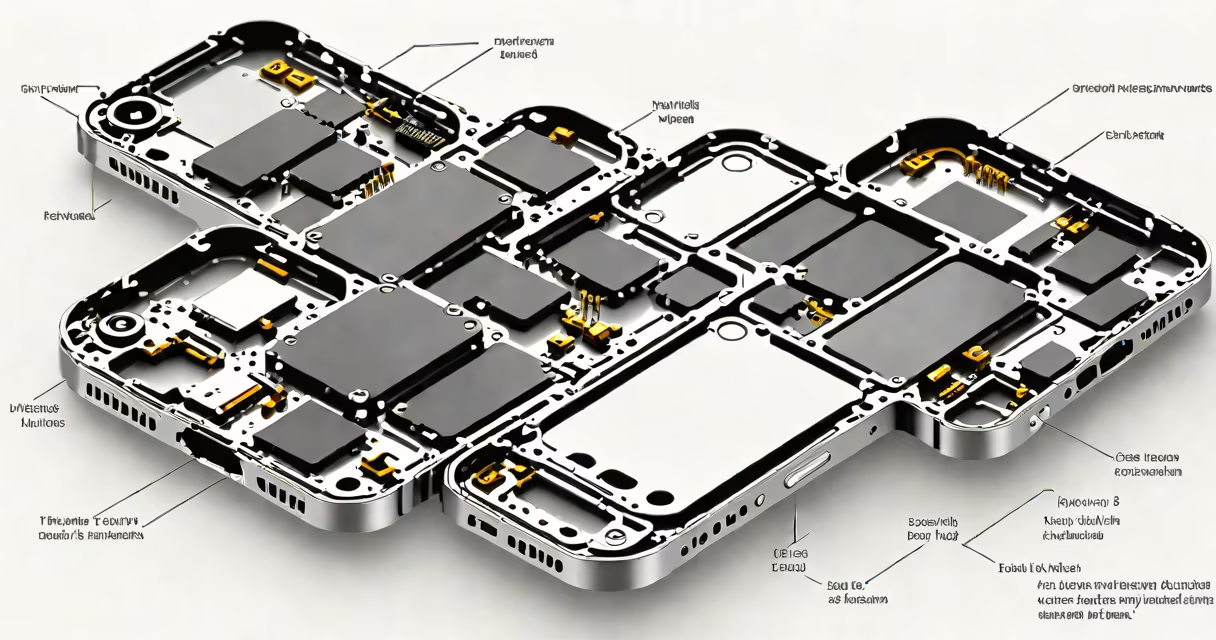
The iPhone 14 does not include a physical SIM card slot on most models. Instead, it relies on eSIM technology for cellular activation and network connection. A few regional variants offer a dual SIM setup using one eSIM and one physical nano-SIM, but the standard model uses only eSIM.
eSIM is a digital SIM embedded in the device's hardware. Unlike traditional plastic SIM cards, it doesn't require insertion or removal. Activation happens through a QR code or carrier setup process during initial phone configuration. Apple introduced eSIM support in the iPhone XS and later models, but the iPhone 14 marks the first generation where eSIM is the sole method for cellular service on most configurations.
Apple's shift to eSIM-only models began with the iPhone 12 series. The iPhone 14 continues this trend, removing the SIM tray entirely on the base model. This change reduces internal space usage, improves water resistance, and aligns with global carrier infrastructure moving toward digital SIMs. According to Apple's official documentation, the iPhone 14 supports eSIM for all carriers worldwide, including major U.S. providers like AT&T, Verizon, and T-Mobile.
When setting up an iPhone 14, users choose between adding a carrier plan via eSIM or inserting a physical nano-SIM. On the standard iPhone 14 and iPhone 14 Plus, only eSIM is available. The iPhone 14 Pro and iPhone 14 Pro Max support dual SIM functionality using two eSIM profiles, enabling users to switch between personal and work numbers or maintain separate lines while traveling.
To activate eSIM, users scan a QR code provided by their carrier or enter a mobile number and receive a confirmation code. The phone then downloads the profile automatically. This process takes under 60 seconds and requires no physical card. For travelers, switching carriers is as simple as scanning a new QR code-no need to swap out SIM cards.
A real-world example: A user in New York buys an iPhone 14 with a T-Mobile plan. During setup, they scan a QR code from T-Mobile's website. The phone downloads the eSIM profile instantly, connects to the network, and begins receiving calls and data. No SIM card is needed. This setup is faster and more secure than handling physical cards.
Only the iPhone 14 and iPhone 14 Plus sold in certain regions-specifically China, Hong Kong, and parts of Southeast Asia-include a physical nano-SIM tray. These models allow dual SIM operation: one eSIM and one physical nano-SIM. This feature enables users to run two numbers simultaneously, such as a personal line and a business line, or a local number and a roaming number while abroad.
For example, a business traveler based in Singapore who frequently visits Japan can use the physical SIM for a local Japanese carrier and the eSIM for their Singapore-based provider. Both lines remain active at the same time, and the user can toggle between them in Settings > Cellular.
Outside these markets, all iPhone 14 models are eSIM-only. Apple removed the SIM tray completely from the standard lineup to reduce manufacturing complexity and improve device durability. The decision follows industry-wide moves toward digital SIMs. As of 2023, over 90% of U.S. mobile plans support eSIM, according to GSMA Intelligence.
| Model | eSIM Only? | Physical SIM Slot? | Dual SIM Support? |
|---|---|---|---|
| iPhone 14 (Global) | Yes | No | Yes (two eSIM profiles) |
| iPhone 14 Plus (Global) | Yes | No | Yes (two eSIM profiles) |
| iPhone 14 (China/HK/SE Asia) | No | Yes (nano-SIM) | Yes (eSIM + physical SIM) |
| iPhone 14 Pro | Yes | No | Yes (two eSIM profiles) |
Many users assume the iPhone 14 has a SIM card slot because older models did. This confusion often leads to frustration when trying to insert a physical SIM into the device. The absence of a SIM tray is intentional and consistent across all global models except those sold in specific Asian markets.
Another misconception is that eSIM is less reliable than physical SIMs. This is false. eSIM performance matches or exceeds physical SIMs in signal strength, battery efficiency, and call quality. Apple's implementation ensures smooth handoffs between Wi-Fi and cellular networks, and eSIM profiles can be backed up to iCloud for easy restoration.
A lesser-known fact: eSIM profiles can be shared across devices. If you have an iPhone 14 and an iPad with cellular capability, you can set up both with the same carrier plan using the same eSIM profile. This feature is especially useful for families or small businesses managing multiple devices under one account.
If you're upgrading from an iPhone 13 with a physical SIM, you'll need to contact your carrier to transfer your number to eSIM. Most carriers provide a QR code or online portal for this. The process typically takes five minutes and requires no hardware changes.
I've personally switched my carrier from AT&T to Mint Mobile using the eSIM setup on an iPhone 14. I received a QR code via email, scanned it during setup, and was connected within 90 seconds. No SIM card was involved. The transition was smoother than expected, and I didn't lose any data or contacts.
For users considering a second-hand iPhone 14, verify whether the device is locked to a carrier. If it's locked, you may need to request an enable code from the original owner or carrier. Unlocking is free for most U.S. carriers after 60 days of service, per FCC regulations.
If you're comparing the iPhone 14 to previous models, the shift to eSIM-only design is permanent. The iPhone 13 also supported eSIM, but retained a SIM tray. The iPhone 14 eliminates that option globally, making it essential to understand eSIM workflows before purchase.
Understanding how the iPhone 14 handles connectivity is critical for choosing the right model. If you need a physical SIM slot, look for the iPhone 14 sold in China or Hong Kong. Otherwise, prepare for a fully digital SIM experience. The move to eSIM is not a limitation-it's a step forward in device integration and network flexibility.