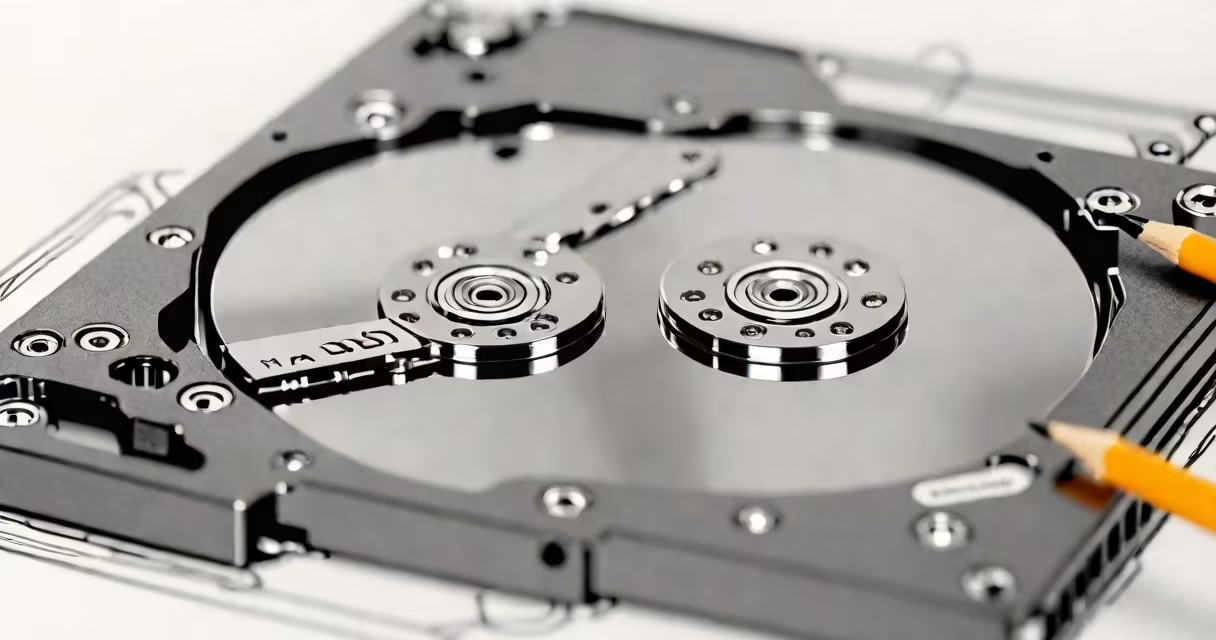
HDD storage, or hard disk drive storage, uses rapidly spinning magnetic disks and movable read/write heads to store and retrieve digital data. It is a non-volatile form of secondary storage used in computers, servers, and external backup devices.
Unlike flash-based SSDs, HDDs rely on physical motion. A motor spins the platters at 5,400 to 15,000 RPM, while a tiny actuator arm positions the read/write head over specific tracks. Data is stored magnetically on concentric rings called tracks, divided into sectors. The drive controller manages access patterns and error correction.
HDDs remain widely used due to their low cost per gigabyte and high capacity. A single drive can hold up to 20 terabytes, making it ideal for long-term data retention. They are common in desktops, laptops, NAS systems, and enterprise storage arrays.
Data enters the HDD through the host system via SATA, SAS, or NVMe interfaces. The drive's firmware translates logical addresses into physical locations on the platters. Once the correct track is under the head, the drive reads or writes bits by altering the magnetic polarity of microscopic regions on the surface.
Access time-the delay between a request and the start of data transfer-is determined by seek time (how long it takes the head to move to the right track) and rotational latency (waiting for the desired sector to spin under the head). For a 7,200 RPM drive, average rotational latency is around 4.17 milliseconds. Seek times typically range from 6 to 12 milliseconds.
For example, a 1TB 7,200 RPM HDD with a 9ms average seek time and 4.17ms latency has a total average access time of about 13.17ms. This is slower than SSDs, which have access times below 0.1ms, but sufficient for bulk storage tasks like video editing, file archiving, and database backups.
HDDs fall into three main categories based on use case and performance:
| Type | Typical RPM | Use Case | Max Capacity (2024) |
|---|---|---|---|
| Consumer SATA | 5,400-7,200 | Laptops, home PCs | 6TB |
| Enterprise SAS | 10,000-15,000 | Server databases, high-I/O workloads | 20TB |
| Archival/Backup | 5,400 | Long-term data storage, NAS systems | 20TB |
Capacity growth relies on technologies like shingled magnetic recording (SMR) and heat-assisted magnetic recording (HAMR). SMR overlaps tracks to increase density, but reduces write performance. HAMR uses lasers to heat spots during writing, enabling higher areal density. Western Digital's Ultrastar DC HC670 drives use HAMR to reach 20TB capacity.
A common misconception is that all HDDs are slow. While sequential read speeds max out around 250 MB/s on consumer models, sustained throughput varies with drive design. Enterprise drives maintain consistent performance under heavy load due to better caching and error handling.
HDD storage is often mistaken for RAM or flash memory. Unlike volatile RAM, HDDs retain data without power. Unlike SSDs, they do not use NAND chips. Their mechanical nature makes them vulnerable to shock, dust, and temperature extremes. Dropping a running HDD can cause head crashes, resulting in permanent data loss.
Another confusion arises around performance. Some users assume HDDs are obsolete. While SSDs dominate boot drives and gaming, HDDs still lead in cost-effective mass storage. A 10TB HDD costs about $150, or $0.015 per GB. An equivalent SSD costs $0.10-$0.15 per GB-over six times more expensive.
I once replaced a failing 4TB HDD in a home media server. The drive had developed bad sectors, causing playback errors. After replacing it with a new 8TB model, I transferred 12TB of video files using rsync. The process took 18 hours-slower than SSDs but acceptable given the data volume and budget constraints.
HDDs remain essential in environments where cost, capacity, and reliability outweigh raw speed. Cloud providers like AWS and Google Cloud use HDDs for cold storage tiers. Backblaze reports that HDD failure rates average 1.5% annually in their data centers, well within acceptable thresholds for archival use.
For large-scale operations, HDDs offer predictable economics. A 100-node cluster storing petabytes of logs can reduce infrastructure costs by 40% using HDDs instead of SSDs. The trade-off is longer recovery times during rebuilds, but this is manageable with redundancy and RAID configurations.
When choosing storage, consider workload patterns. If you're backing up photos, videos, or databases with infrequent access, HDD storage delivers excellent value. For applications requiring rapid response times-like operating systems or game loading-SSDs are superior.