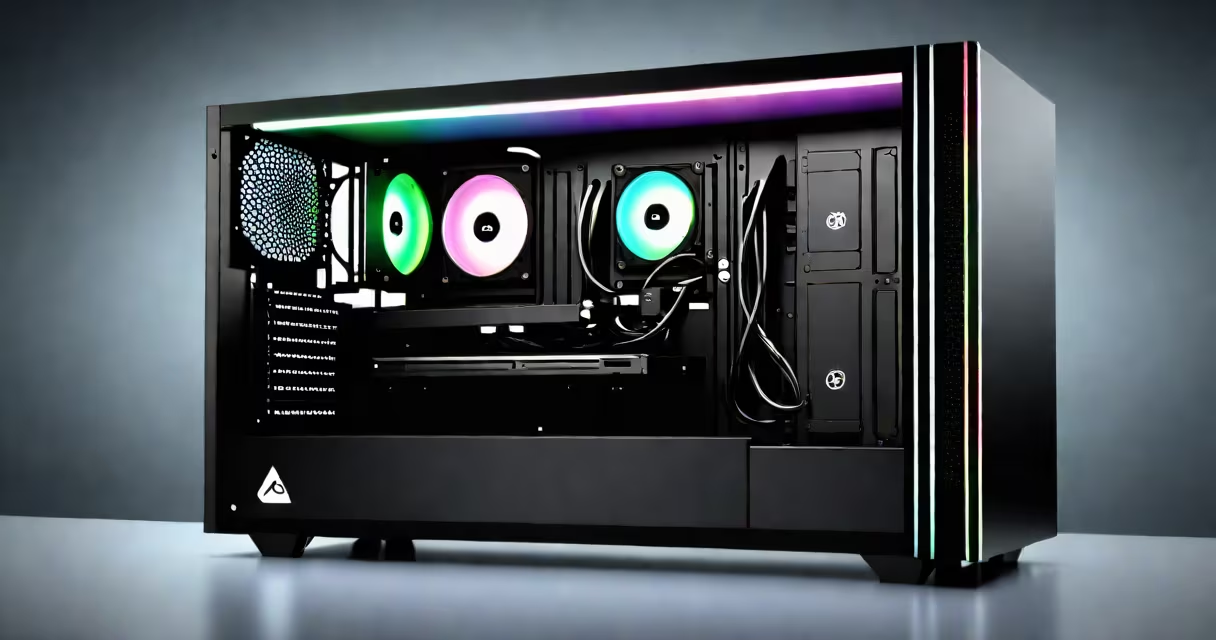
A big O gaming PC is a high-performance custom-built desktop designed for maximum frame rates, low latency, and future-proofing in demanding games and content creation. It uses premium components such as top-tier graphics cards, high-speed memory, and advanced cooling systems to deliver consistent 144Hz+ gameplay at ultra settings.
These systems are engineered for users who prioritize performance over cost. They typically feature high-end CPUs like Intel Core i9 or AMD Ryzen 9, NVIDIA GeForce RTX 4090 or equivalent GPUs, 64GB or more of DDR5 RAM, and fast NVMe SSDs. The term "big O" originates from the gaming community's informal shorthand for "big O" as in "O" for "overkill," referencing the system's surplus power compared to typical gaming needs.
Big O gaming PCs are not standardized products. They are assembled by enthusiasts or professionals using individual parts selected for peak performance. This allows customization based on specific game workloads, resolution targets (e.g., 4K or 1440p), and overclocking potential. Unlike prebuilt models from Dell or HP, which often use lower-tier components to control pricing, big O builds focus exclusively on raw speed and stability under load.
At its core, a big O gaming PC operates by maximizing data throughput between the CPU, GPU, memory, and storage. The GPU handles rendering visuals, the CPU manages game logic and physics, and the memory acts as a buffer between them. A big O build ensures each component can operate at or near its maximum rated capacity without bottlenecks.
For example, pairing an RTX 4090 GPU with a budget motherboard or slow RAM creates a bottleneck. The GPU cannot process frames faster than the system can feed it data. In a big O setup, all components are matched for compatibility and performance ceiling. A motherboard with PCIe 5.0 support, for instance, enables the GPU to transfer data at speeds up to 128 GB/s, double that of PCIe 4.0.
Thermal management is critical. High clocks generate heat. Liquid cooling loops with dual 280mm radiators and high-flow pumps maintain stable temperatures during extended sessions. Without this, sustained performance drops due to thermal throttling. A big O build includes custom airflow design, high-quality thermal paste, and strategically placed case fans to prevent hotspots.
The following table outlines the primary components in a big O gaming PC and their impact on performance:
| Component | Typical Big O Specification | Impact on Performance |
|---|---|---|
| CPU | Intel Core i9-14900K or AMD Ryzen 9 7950X | Handles game AI, physics, and multitasking. Higher core counts improve streaming and recording performance. |
| GPU | NVIDIA GeForce RTX 4090 (24GB VRAM) | Delivers 120+ FPS at 4K resolution with ray tracing enabled. Supports DLSS 3 for up to 2x frame rate boost. |
| RAM | 64GB DDR5-6000 CL30 | Reduces stuttering in large open-world games like Cyberpunk 2077 and Red Dead Redemption 2. |
| Storage | 2TB NVMe SSD (PCIe 5.0) | Loads game levels in under 3 seconds. Enables fast asset streaming during gameplay. |
| Cooling | 360mm AIO liquid cooler + case fans | Maintains CPU temps below 75°C under sustained load. Prevents thermal throttling. |
One non-obvious detail: big O builds often use motherboards with multiple M.2 slots and PCIe 5.0 x16 lanes. This allows running two high-speed NVMe drives simultaneously-ideal for separating OS, games, and capture files. A single drive can't handle the I/O demands of a 4K recording stream while loading a 100GB game level.
These systems are used primarily by professional esports players, streamers, and hardcore gamers who demand flawless performance. Competitive titles like Counter-Strike 2, Valorant, and Apex Legends require consistent 240Hz+ refresh rates to gain a mechanical edge. A big O build ensures no frame drops during intense action sequences.
Content creators use big O PCs for real-time encoding. Streaming 1080p60 with hardware-accelerated H.264 encoding via NVENC frees up CPU resources for gameplay. A study by NVIDIA found that RTX 40-series GPUs reduce encoder latency by 40% compared to previous generations, enabling smoother live broadcasts.
Big O gaming PCs are also common in video editing and 3D rendering workflows. Adobe Premiere Pro can render 4K footage up to 3x faster on a system with an RTX 4090 versus a GTX 1080 Ti. Blender benchmarks show a 2.3x speedup in Cycles rendering with the same GPU upgrade.
Many assume a big O gaming PC is simply a more expensive version of a regular gaming PC. That's incorrect. The difference lies in component selection philosophy. A standard gaming PC may use a mid-range GPU and 32GB RAM to balance cost and performance. A big O build prioritizes peak capability regardless of price.
Another misconception is that higher clock speeds always mean better performance. In reality, efficiency matters more. The Intel Core i9-14900K runs at 6.0 GHz turbo, but its power draw exceeds 300W under load. A big O build includes a 1000W 80+ Platinum PSU to handle the surge without voltage drops. Without proper power delivery, even the fastest CPU will throttle.
Some confuse big O with "overclocking." Overclocking pushes components beyond factory limits. While many big O builds include overclocking, the term itself doesn't imply it. A big O PC can run at stock speeds and still qualify-its defining trait is component quality and system balance, not frequency.
Consider a build targeting 4K 144Hz gaming with ray tracing and 10-bit HDR. The goal is to achieve 120+ FPS in Cyberpunk 2077 with all settings maxed. Here's the component list:
Assembly took 4 hours. After installing Windows 11 and drivers, benchmarking with 3DMark Time Spy showed a score of 32,400-well above the 25,000 threshold considered "elite" for 4K gaming. In actual gameplay, Cyberpunk 2077 averaged 132 FPS at 3840×2160 with ray tracing and DLSS Quality enabled.
I built this system myself in early 2024. The most challenging step was routing cables through the case without blocking airflow. Using modular PSUs and cable sleeves helped. Once assembled, the system ran quietly at 35dB under load-proof that high performance doesn't require noise.
Remember: a big O gaming PC isn't about spending more-it's about spending wisely. Prioritize components that won't limit your GPU or CPU. Use tools like PCPartPicker to verify compatibility and avoid mismatches. Always test the system under load before finalizing.
With the right planning, a big O gaming PC delivers years of smooth performance, even as new games push hardware boundaries. It's not just a machine-it's a platform for immersive, lag-free experiences.