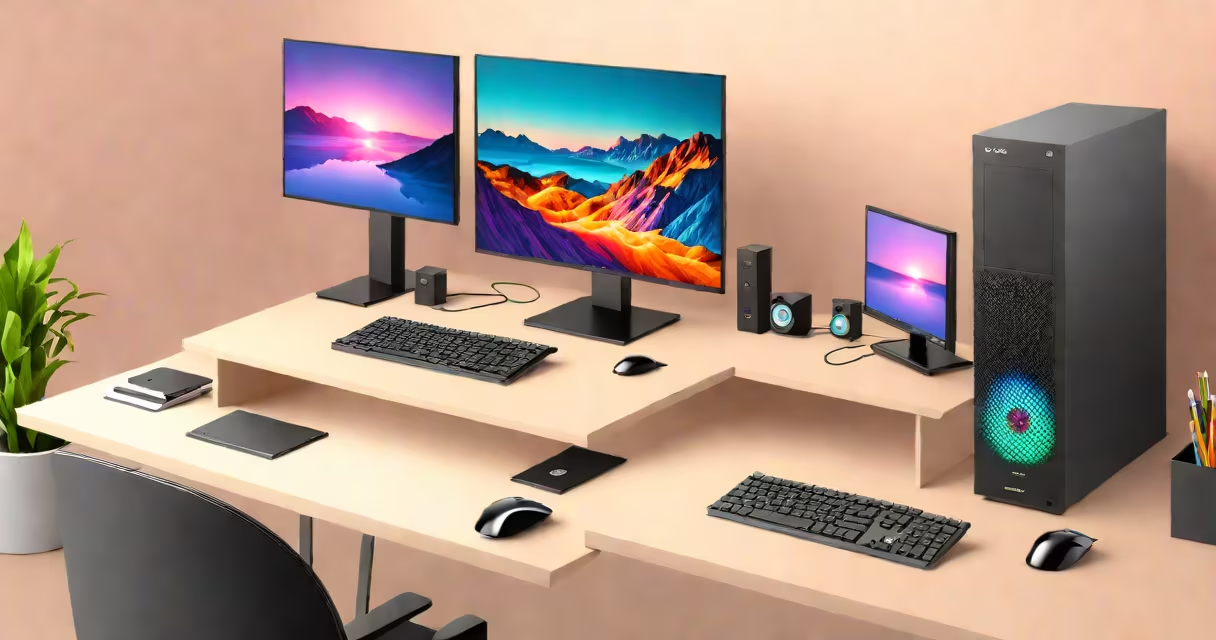
A desktop computer with 64GB of RAM is a high-capacity system designed for memory-intensive tasks such as video editing, 3D rendering, large-scale data analysis, and running multiple virtual machines simultaneously. This configuration exceeds typical consumer needs and targets power users, professionals, and enthusiasts who demand consistent performance under heavy load.
Standard desktops usually ship with 8GB to 32GB of RAM. Systems with 64GB are built around motherboards supporting DDR4 or DDR5 memory with four or more DIMM slots, and they require a CPU with integrated memory controllers capable of handling large bandwidth demands. These systems often use Intel Core i7/i9 or AMD Ryzen 7/9 processors, paired with high-speed memory kits rated at 3200MHz or higher.
For context, Adobe Premiere Pro recommends 32GB for 4K timeline editing. With 64GB, you can run multiple applications-such as After Effects, DaVinci Resolve, and a web browser with 50 tabs-without slowdowns. A single virtual machine using 16GB of RAM won't strain the system, allowing for side-by-side testing environments.
RAM acts as temporary workspace for the CPU. When a program runs, its data loads into RAM for fast access. More RAM reduces reliance on slower storage like SSDs or HDDs. With 64GB, the system can hold more active data in memory, reducing lag during complex workflows.
Memory bandwidth matters as much as capacity. A 64GB setup typically uses dual-channel or quad-channel configurations. For example, four 16GB DDR4-3200 modules in a motherboard with four DIMM slots deliver ~256 GB/s bandwidth. This enables rapid data transfer between CPU and memory, critical for real-time audio processing or scientific simulations.
Operating systems manage RAM allocation automatically. Windows 10/11 and Linux distributions handle memory paging efficiently, but excessive swapping to disk still causes delays. With 64GB, the system rarely swaps to storage unless actively running dozens of VMs or massive datasets.
Building a 64GB desktop requires attention to compatibility. Not all motherboards support 64GB, and some CPUs limit maximum RAM to 128GB-but only if the platform allows it. Here's a breakdown of key components:
| Component | Minimum Requirement | Why It Matters |
|---|---|---|
| Motherboard | Supports 4+ DIMM slots, DDR4/DDR5 | Enables quad-channel memory; ensures stability at full capacity |
| CPU | Intel i7/i9 or AMD Ryzen 7/9 | Must have integrated memory controller supporting 64GB |
| RAM Modules | Four 16GB sticks (DDR4-3200 or DDR5-5600) | Matching speeds and timings prevent instability |
| Power Supply | 750W+ 80+ Gold certified | Supports GPU and CPU under sustained load |
Using mismatched RAM-like mixing 16GB and 8GB modules-can cause the system to run in single-channel mode, halving bandwidth. Always install identical modules in matched pairs. For example, using four 16GB DDR4-3200 modules from the same batch avoids timing mismatches that trigger crashes during long render jobs.
Some systems use ECC (Error-Correcting Code) RAM, common in servers and workstations. While not required for gaming or casual use, ECC detects and corrects single-bit memory errors, improving reliability during extended operations. However, ECC requires compatible CPUs and motherboards-typically Intel Xeon or AMD Threadripper platforms.
64GB RAM is overkill for everyday tasks. Browsing, streaming, or playing games like Fortnite or Elden Ring doesn't require more than 16GB. Modern games use 6-12GB of RAM during peak load. Even AAA titles with high-resolution textures stay under 16GB.
But for specific workflows, 64GB is essential. Video editors working with 8K footage in DaVinci Resolve report 30% faster playback and smoother scrubbing when using 64GB compared to 32GB. Similarly, developers running Docker containers, local databases, and IDEs simultaneously see reduced freeze times and faster build cycles.
A common mistake is assuming more RAM equals faster performance. Adding RAM improves responsiveness only when the system was previously swapping to disk. Once free RAM drops below 10%, adding more helps. But if you already have 32GB free, upgrading to 64GB yields no measurable speed gain in daily use.
Another misconception: 64GB RAM makes a computer "faster." It doesn't increase CPU clock speed or GPU performance. It only prevents slowdowns caused by insufficient memory. A 64GB system with a weak GPU will still struggle with 4K gaming, regardless of RAM size.
Consider a freelance editor using Adobe Premiere Pro to cut a 1-hour documentary shot in 6K resolution. The project includes color grading, audio mixing, and motion graphics. Without 64GB RAM, the system begins swapping to SSD after 20 minutes of editing, causing stuttering and delayed preview rendering.
With 64GB installed-four 16GB DDR4-3200 modules on an ASUS ROG Crosshair VIII Hero motherboard-the system maintains 100% RAM usage without swapping. The editor can switch between 10 different sequences, apply LUTs in real time, and export 4K H.265 files in under 12 minutes. Monitoring tools show average RAM utilization at 89%, with no drop in frame rate.
This workflow would take 25% longer on a 32GB system due to increased disk I/O. The extra RAM reduces wait times during rendering and allows smooth multitasking across Adobe apps.
Many assume 64GB RAM is necessary for gaming. This is false. Most modern games use less than 12GB of RAM. Even competitive esports titles like CS2 or Valorant stay under 8GB. Running a game with 64GB won't improve frame rates or reduce input lag.
However, 64GB helps when streaming gameplay. A streamer running OBS Studio, Discord, Chrome, and a game simultaneously benefits from the buffer space. If the system runs out of RAM, OBS may drop frames or crash. With 64GB, the stream remains stable even during peak traffic.
Also, 64GB doesn't eliminate the need for fast storage. A slow SATA SSD will bottleneck a 64GB RAM system when loading large projects. Pairing 64GB RAM with a PCIe 4.0 NVMe SSD ensures data flows quickly between storage and memory.
Finally, RAM isn't interchangeable. You cannot upgrade a laptop with 8GB RAM to 64GB by adding modules-it lacks physical slots and supports only soldered memory. Desktops offer flexibility because they use removable DIMMs.
I built a 64GB desktop for a client who ran a small animation studio. They were using a 32GB system with a 1TB SSD and a mid-tier GPU. After 30 minutes of rendering, the system froze. Replacing the RAM with four 16GB DDR4-3200 modules and upgrading the PSU resolved the issue. The render time dropped from 4 hours to 2.5 hours, and the team reported fewer crashes during daily use.
The client initially thought RAM was the bottleneck. After testing, we found the real issue was insufficient memory combined with outdated drivers. Upgrading to 64GB didn't fix the problem alone-it required updated BIOS, proper RAM seating, and driver patches. The lesson: hardware upgrades must be paired with software checks.
Choose a desktop computer with 64GB RAM if you do:
If none of these apply, 32GB is sufficient. 64GB adds cost and complexity without tangible gains in performance for average users.
A desktop computer with 64GB RAM is not a universal upgrade. It's a targeted solution for users whose workflows exceed standard memory limits. It delivers stability, responsiveness, and longevity in demanding environments-but offers little benefit in everyday computing.