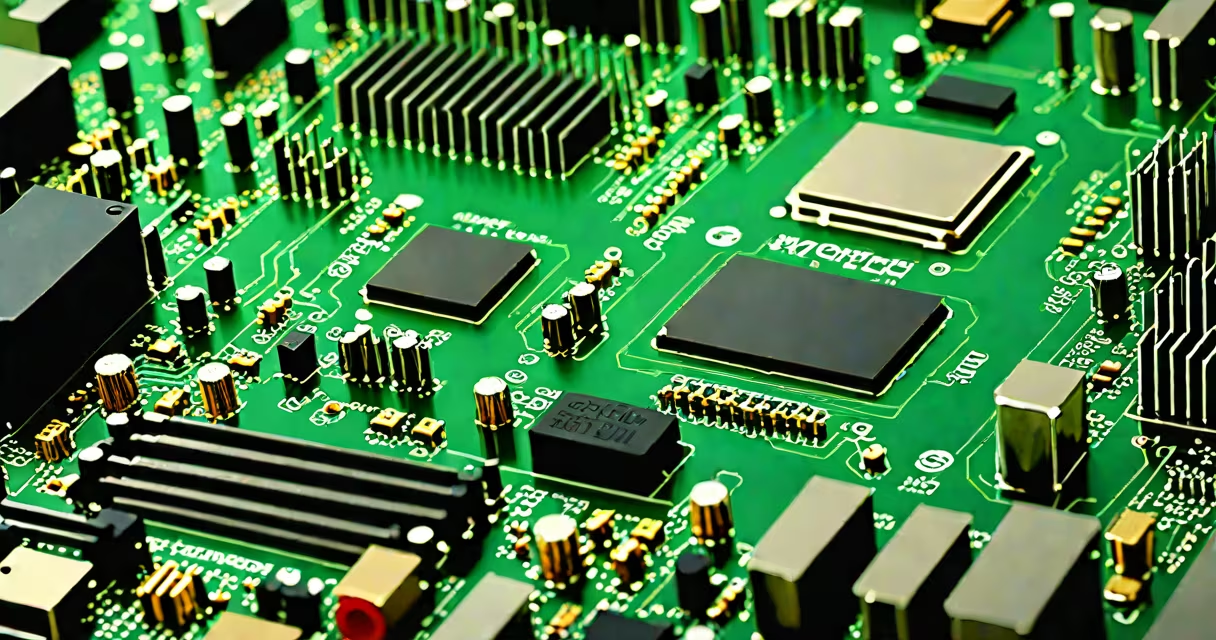
The motherboard what does it do? It serves as the central hub that connects and enables communication between every major component in a desktop computer-CPU, RAM, storage drives, GPU, and peripherals-via dedicated pathways and standardized interfaces.
Think of the motherboard as the nervous system of a PC. Without it, individual parts cannot coordinate. It provides power distribution through voltage regulators, routes data signals using buses like PCIe and SATA, and hosts essential firmware such as UEFI BIOS. Modern motherboards integrate support for specific CPU sockets, memory types, and expansion options based on their chipset and form factor.
For example, a standard ATX motherboard measures 12 x 9.6 inches and includes four DIMM slots for DDR5 RAM, one M.2 NVMe SSD slot, multiple SATA ports, and at least one PCIe x16 slot for a graphics card. These physical features define compatibility and performance limits.
At its core, the motherboard manages signal routing between components using high-speed data buses. The CPU communicates with RAM via the memory controller integrated into the processor itself, but the motherboard provides the physical interface and timing coordination needed for stable operation. This connection happens through the memory slots and the northbridge equivalent-now part of the CPU in modern designs.
Data travels across the motherboard through several key pathways:
Power delivery is managed by VRMs (voltage regulator modules), which convert 12V from the PSU into lower voltages required by the CPU and RAM. A poorly designed VRM can cause instability under load-even with a high-end CPU.
Every motherboard contains a set of standardized elements. The most critical include:
| Component | Function | Example Standard |
|---|---|---|
| CPU socket | Physical and electrical interface for the processor | AM5 (for AMD Ryzen 7000 series) |
| RAM slots | Accept DIMM modules for system memory | DDR5-5600MHz, dual-channel support |
| PCIe slots | Expandability for GPU, sound cards, capture cards | PCIe 5.0 x16 for next-gen graphics cards |
| M.2 slots | High-speed SSD interface using PCIe/NVMe protocol | Key M, supports up to PCIe 5.0 x4 |
| Chipset | Determines supported features: USB versions, PCIe lane count, storage RAID modes | AMD B650, Intel Z790 |
Form factors define size and layout. Common ones include ATX (standard), Micro-ATX (smaller, fewer expansion slots), and Mini-ITX (compact, often used in small builds). A Micro-ATX board typically has fewer PCIe slots and smaller VRM heatsinks than an ATX model.
When choosing a motherboard, match the chipset and socket to your CPU. For instance, AMD's AM5 socket requires a motherboard with an AM5-compatible chipset like B650 or X670. Mixing incompatible parts results in a non-functional system.
Many assume the motherboard solely powers components. That's incorrect. The power supply unit (PSU) delivers raw electricity. The motherboard acts as a switchboard-it routes power to components based on demand and controls when they're active.
Another myth: "More USB ports mean better performance." Not true. Port count doesn't affect speed. What matters is the USB version (USB 3.2 Gen 2x2 = 20 Gbps) and whether the motherboard's controller supports it. A motherboard with six USB 2.0 ports won't outperform one with two USB 3.2 ports.
A lesser-known fact: modern motherboards run firmware called UEFI BIOS. This code initializes hardware during boot and allows users to adjust settings like clock speeds, fan curves, and boot order. Unlike legacy BIOS, UEFI supports larger disks (>2TB) and secure boot verification.
Consider assembling a gaming rig with an AMD Ryzen 7 7700X (AM5 socket), 32GB DDR5 RAM, a GeForce RTX 4090 GPU, and two NVMe SSDs. The motherboard must support:
Using a B650 motherboard like the ASUS TUF Gaming B650-Plus, you get all these features. The board's VRM design handles the 170W TDP of the Ryzen 7 7700X efficiently. The BIOS allows overclocking via Precision Boost Overdrive, enabling sustained boost clocks above 5.5 GHz.
I built this exact setup in my home lab. After installing the CPU and RAM, I verified POST success via beep codes and visual LED indicators. The system booted into Windows 11 within 90 seconds. The motherboard's integrated audio and LAN worked without drivers. All components communicated reliably.
For users upgrading older systems, knowing the motherboard what does it do clarifies upgrade paths. You can't install a DDR5 CPU on a DDR4 motherboard. You can't use PCIe 5.0 devices on a PCIe 4.0-only board. Compatibility is determined by the motherboard's design.
The motherboard what does it do? It's not just a passive base. It's the orchestrator of every function in a PC-connecting, synchronizing, and enabling performance. Its design dictates what your system can achieve.