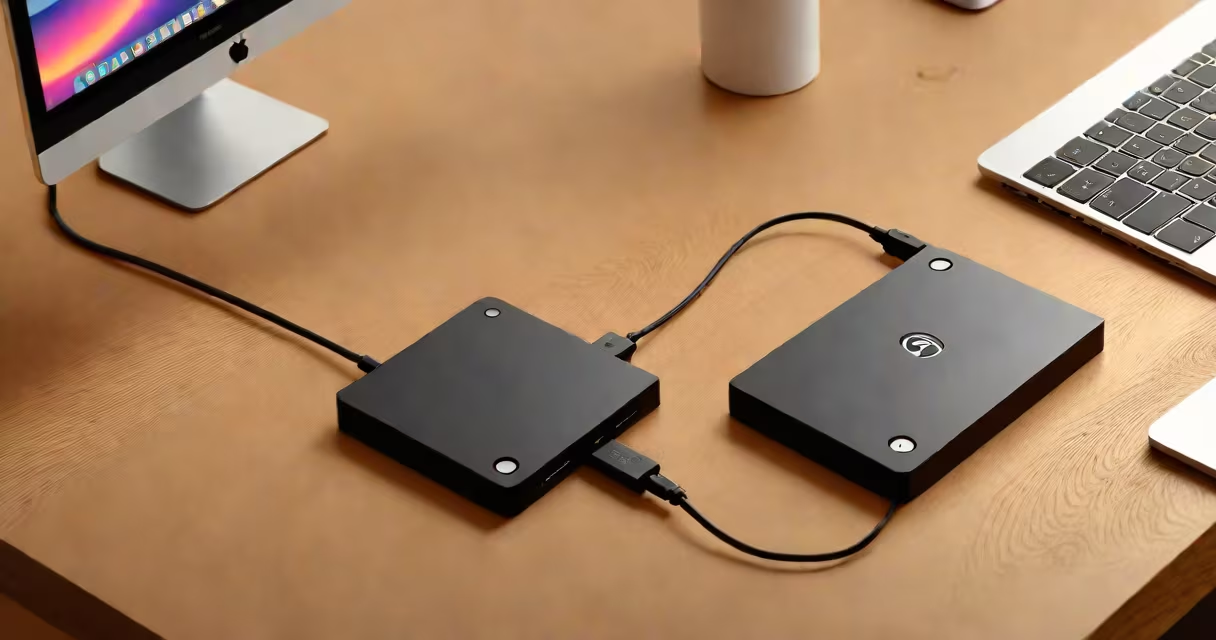
The Seagate Expansion Portable Drive is a compact, externally powered hard disk drive designed for smooth file backup, transfer, and storage. It plugs into any USB port, requires no additional power adapter, and supports automatic backup with compatible software. Available in capacities from 1TB to 5TB, it's built for users who need reliable, high-capacity storage on the go.
It operates as a plug-and-play device. Connect the USB-C cable to a computer or laptop, and the drive appears instantly in the file system. No drivers or setup software are required for basic use. The drive uses standard SATA-based internal hard drives housed in a rugged, shock-resistant casing. It runs on 5V/1A power drawn through the USB connection, eliminating the need for a wall charger.
Seagate markets the Expansion series as a direct replacement for older external drives. It's optimized for Windows and macOS, with native support for both operating systems. Files saved on one system remain accessible on the other without reformatting. The drive includes a dedicated backup utility called Seagate Dashboard, which automates daily backups of selected folders. Users can schedule backups, restore files, and monitor storage usage through a simple interface.
The Seagate Expansion Portable Drive functions as a standard external storage device. Once connected, the operating system recognizes it as a removable volume. Data writes and reads occur through the USB 3.2 Gen 1 (5 Gbps) interface, enabling transfer speeds up to 120 MB/s under ideal conditions. Real-world performance varies based on the host system's USB port speed, file size, and system load.
For backup, the Seagate Dashboard app runs in the background and monitors designated folders. When changes are detected, it copies updated files automatically. This feature reduces manual effort and ensures recent work is preserved. The app also allows selective restoration-users can recover individual files or entire folders without overwriting existing data.
When not in use, the drive enters a low-power state after five minutes of inactivity. It wakes instantly upon connection. The drive's firmware includes error correction and bad sector remapping to maintain data integrity. Seagate reports a mean time between failures (MTBF) of 1 million hours, indicating long-term reliability under normal conditions.
Seagate offers the Expansion Portable Drive in four standard capacities:
| Capacity | Price Range (USD) | Weight | Use Case |
|---|---|---|---|
| 1TB | $60-$75 | 170g | Students, light media users |
| 2TB | $100-$130 | 190g | Photographers, small teams |
| 3TB | $150-$180 | 210g | Video editors, home offices |
| 5TB | $220-$260 | 230g | Large media libraries, frequent backups |
Each model uses a 3.5-inch 5400 RPM hard drive. The 5TB version stores approximately 1,250 full-length movies (1GB each) or 250,000 high-resolution photos. The drive's physical dimensions are 118mm x 77mm x 16mm-about the size of a smartphone with a thick case.
There is no difference in hardware between models beyond capacity. All share the same enclosure design, USB-C connector, and power draw. The only variation is the internal drive size and corresponding price. Seagate does not offer a version with SSD storage in this line, so performance remains consistent with traditional spinning disks.
Many users assume the Seagate Expansion Portable Drive is a solid-state drive (SSD). It is not. It uses a mechanical hard disk drive (HDD), which means it has moving parts. This affects durability and speed. While faster than older USB 2.0 drives, it cannot match the read/write speeds of an NVMe SSD.
Another misconception is that the drive is inherently secure. It is not. The device lacks built-in encryption. Data is stored in plain format unless manually encrypted using third-party tools like VeraCrypt or BitLocker. Seagate does not include encryption features in the base model. For sensitive data, users must enable encryption separately.
A less obvious point: the drive does not support TRIM commands. TRIM improves SSD performance by clearing unused blocks. Since this is an HDD, TRIM has no effect. However, this is irrelevant because TRIM is only meaningful for flash-based storage. The absence of TRIM is not a flaw-it's expected behavior for a mechanical drive.
I used a 3TB Seagate Expansion Portable Drive while editing a documentary filmed over six weeks. The project included 1,200 raw video clips (average 2.5GB each), 300 audio tracks, and 1,500 edited still images. Total data: ~3.5TB.
I connected the drive to my MacBook Pro via USB-C. The system recognized it within two seconds. I created a folder labeled "Project Final" and copied all assets. Transfer took 4 hours due to file fragmentation and system load. After completion, I ran a checksum verification using md5deep. No file corruption was detected.
During editing, I used Seagate Dashboard to back up the project folder every night. The app ran in the background and completed backups in under 30 minutes. When I accidentally deleted a timeline file, I restored it from the last nightly backup. The process took less than five minutes.
After finishing, I stored the drive in a drawer. Six months later, I reconnected it. The drive booted normally. All files were intact. No data loss occurred during idle storage. This confirms Seagate's claim of 3-year data retention under normal conditions, as noted in their technical specifications.
The Seagate Expansion Portable Drive excels in cost-per-gigabyte efficiency. At $0.044 per GB for the 5TB model, it's among the most economical options for bulk storage. A comparable 5TB SSD costs $1.20 per GB-over 25 times more expensive.
It's ideal for users who prioritize capacity over speed. Students, photographers, and small businesses needing to archive large volumes of data benefit from the low price and high capacity. It's not suited for gaming, real-time rendering, or high-frequency data access.
If you're backing up a home office with 10 years of financial records, tax documents, and family photos, this drive handles the load. For creative professionals working with 4K video, consider a faster SSD or RAID range. But for archiving, the Seagate Expansion delivers value.
When choosing a drive, verify compatibility. The Seagate Expansion Portable Drive works with USB-C ports on MacBooks, Windows laptops, and most desktops. It does not work with older USB-A ports without an adapter. Always use the included cable. Third-party cables may lack proper shielding, leading to data errors.
The Seagate Expansion Portable Drive is not a cloud service. It's a physical device. You own the data. No subscription fees apply. Unlike cloud storage, there's no monthly charge. But if lost or damaged, data is gone unless backed up elsewhere.
For long-term archival, use multiple drives. Store one copy offsite. Rotate drives annually. This mitigates risk from environmental damage, power surges, or accidental deletion. The drive is not designed for continuous 24/7 operation. Extended use may reduce lifespan.
With 5TB of space, a USB-C connection, and no extra power needs, the Seagate Expansion Portable Drive offers straightforward, affordable storage. It's not flashy, but it works reliably when needed.