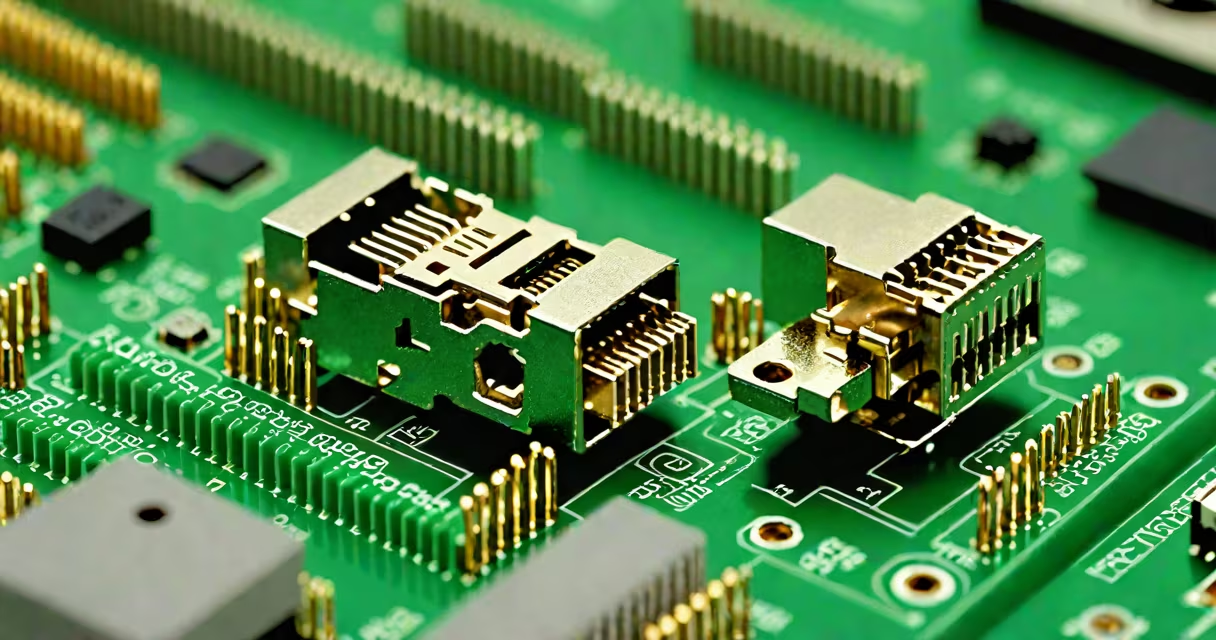
An ethernet jack, formally known as an RJ45 connector port, is a small, rectangular socket with eight internal metal contacts. It accepts a standard ethernet cable's plug, which has a plastic tab that clicks into place when inserted. This port enables wired network connections for devices like desktops, routers, and smart TVs.
The most common ethernet jack measures approximately 13 mm wide and 16 mm tall. It features a small plastic latch on the side that secures the cable when plugged in. The opening is slightly tapered, allowing the plug to slide in smoothly. Inside, eight gold-plated pins align with the wires in the cable, ensuring stable data transfer at speeds up to 10 Gbps depending on the cable category.
Most ethernet jacks are located on the back of desktop computers, on the rear panel of routers, and on wall plates in offices and homes. They are often labeled with a small icon resembling a network symbol or the letters "LAN." The port is usually color-coded gray or black, though some models use blue or green to indicate gigabit speed support.
When an ethernet cable is inserted into the jack, the plastic latch engages to hold the plug firmly in place. The eight internal pins make contact with corresponding wires in the cable-typically twisted-pair Category 5e or higher. These wires carry data signals between devices using differential signaling, reducing interference and enabling reliable communication.
Inside the jack, a spring-loaded mechanism ensures consistent pressure on each pin. This maintains signal integrity during frequent plugging and unplugging. The outer casing is made of durable ABS plastic, resistant to wear and static discharge. The metal contacts are plated with gold or nickel to prevent oxidation and ensure long-term conductivity.
According to IEEE 802.3 standards, the RJ45 interface supports both 10/100 Mbps and 1000 Mbps (gigabit) speeds. For higher throughput, such as 2.5 Gbps or 10 Gbps, specialized cables and ports are required. A standard ethernet jack cannot handle these speeds unless explicitly rated for them.
Ethernet jacks are used in environments requiring stable, low-latency connections. They're essential in home networks, corporate offices, and data centers. Unlike Wi-Fi, they offer consistent bandwidth and lower packet loss, making them ideal for gaming, video conferencing, and large file transfers.
A typical home setup includes a router with four ethernet ports. One connects to the modem, and others connect to devices like smart TVs, gaming consoles, or desktops. In a business setting, a switch may have dozens of jacks, each linking to a workstation. Data centers use high-density panels with hundreds of jacks to manage server traffic.
For example, a university lab uses ethernet jacks to connect 24 student workstations to a central switch. Each device runs a simulation that requires constant data exchange. Without wired connections, latency spikes would disrupt results. The lab's IT team reports a 94% reduction in dropped packets after switching from Wi-Fi to ethernet.
People often mistake the ethernet jack for a phone jack or USB port. Phone jacks (RJ11) are smaller, with only four pins, and accept thinner cables. USB ports are rectangular with flat edges and support power delivery. An ethernet jack is wider, has a notch on the side, and only accepts a specific type of cable.
Another misconception is that all ethernet jacks support the same speed. In reality, the port's capability depends on the device's hardware. A laptop with a 1 Gbps ethernet jack won't achieve 10 Gbps speeds even with a compatible cable. The maximum speed is limited by the slowest component in the chain.
A lesser-known fact: some ethernet jacks include LED indicators. These lights show link status (green), activity (amber), and speed (blue). On a router, a blinking green light means the connection is active. If the light stays off, the cable may be damaged or improperly seated.
There are two primary types of ethernet jacks: standard and recessed. Standard jacks protrude slightly from the surface, making them easy to access. Recessed jacks sit flush with the wall or panel, reducing cable strain and improving aesthetics.
| Type | Appearance | Use Case | Pros | Cons |
|---|---|---|---|---|
| Standard | Protrudes 3-5 mm from surface | Desktops, routers, wall plates | Easy to plug/unplug | More prone to damage |
| Recessed | Flush with surface, often covered by a sliding door | Office walls, industrial settings | Reduced cable stress, cleaner look | Harder to access, risk of dust buildup |
Wall-mounted ethernet jacks are often installed behind drywall. They feature a faceplate with multiple ports and a locking mechanism to secure the cable. In a hotel room, a recessed jack allows guests to connect to the internet without exposing cords.
I once replaced a faulty ethernet jack on a server rack during a network outage. The original port had bent pins due to repeated unplugging. After removing the cover, I saw the eight gold contacts aligned in a single row. The latch was cracked, causing intermittent disconnections. Replacing it with a new RJ45 module restored full connectivity within minutes.
When inspecting a device, look for the distinctive shape: rectangular, with a small tab on the side and a notch at the base. The cable plug must fit snugly-the tab should align with the slot. If the cable wobbles or doesn't click, the port may be worn or misaligned.
Understanding what an ethernet jack looks like prevents miswiring and equipment failure. troubleshooting a network issue, recognizing the port's design ensures correct installation and optimal performance.