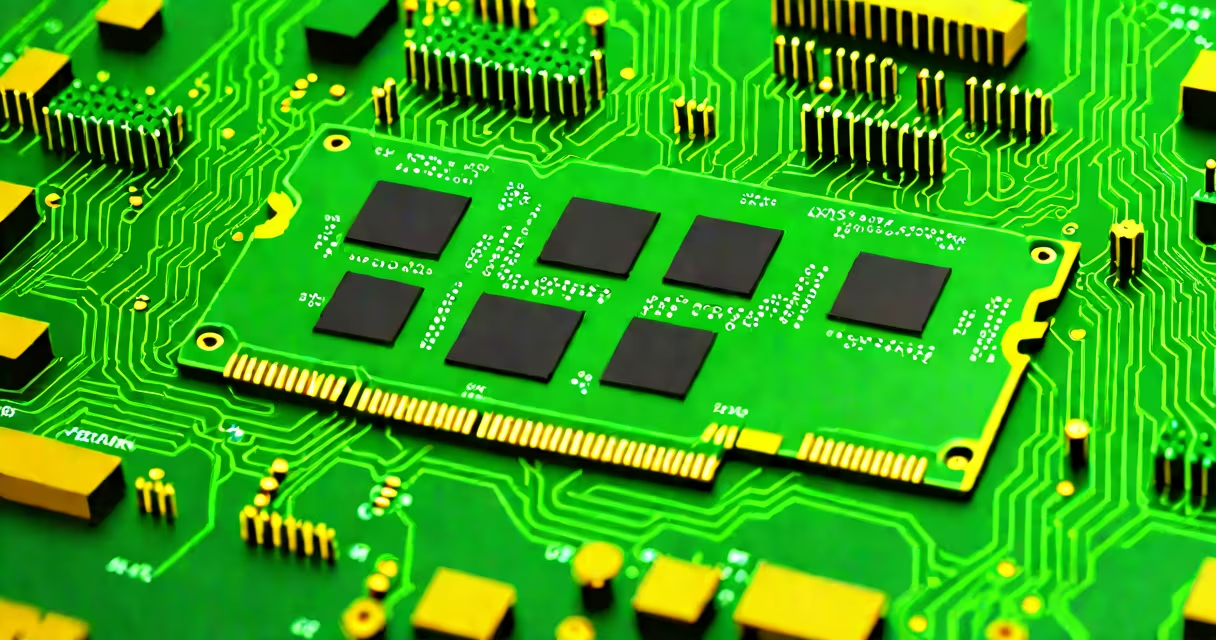
Important DDR3 RAM is a type of synchronous changing random-access memory designed for use in desktop computers, laptops, and servers. It operates at lower voltages than earlier DDR2 models and supports higher data transfer rates, improving system responsiveness and multitasking capability.
DDR3 stands for Double Data Rate 3, the third generation of DDR SDRAM. Important, a brand owned by Micron Technology, manufactures DDR3 modules with standardized speeds, capacities, and voltage ratings. These modules plug into a motherboard's DIMM slot and serve as temporary storage for active programs and data currently in use.
For example, a 16GB DDR3 kit running at 1600 MHz transfers data at 12.8 GB/s. This speed enables faster loading of applications and smoother handling of large files compared to older RAM types. Important DDR3 RAM is widely used in systems built between 2008 and 2015, though some newer motherboards still support it.
Important DDR3 RAM functions by storing data in capacitors arranged in a grid of memory cells. Each cell holds one bit-either a 0 or a 1. A row of cells forms a memory bank, and multiple banks make up a module. The motherboard's memory controller accesses these banks sequentially during system operations.
Data is transferred in bursts across the memory bus. DDR3 doubles the data rate per clock cycle by transferring data on both the rising and falling edges of the clock signal. This allows DDR3 to achieve higher bandwidth than DDR2 while using less power. For instance, DDR3-1600 runs at 1.5V, whereas DDR2-800 required 1.8V.
When a program loads, the CPU requests data from RAM. The memory controller sends a command to the correct bank, which retrieves the requested bits and returns them within nanoseconds. This process repeats continuously during operation. If the RAM cannot keep up, the CPU waits-slowing performance.
Important DDR3 RAM comes in several configurations based on speed, capacity, and timing. The most common speeds are 1066 MHz, 1333 MHz, 1600 MHz, and 1866 MHz. Higher speeds allow faster data access but require compatible motherboards and processors.
| Speed (MHz) | Bandwidth (GB/s) | Typical Use Case | Compatibility Notes |
|---|---|---|---|
| 1066 | 8.5 | Basic office tasks, older systems | Common in early 2000s desktops |
| 1333 | 10.7 | General computing, light gaming | Standard for Intel Core 2 and early i-series |
| 1600 | 12.8 | Modern productivity, moderate gaming | Optimal for most DDR3 systems |
| 1866 | 14.9 | High-performance workloads | Requires XMP support and compatible CPU |
Capacities range from 1GB to 32GB per module. Dual-channel setups-using two identical sticks-double effective bandwidth. A single 8GB stick provides 8GB of addressable memory; two 8GB sticks in dual-channel mode deliver 16GB usable space with improved throughput.
Timing values such as CL9, CL10, or CL11 indicate latency. Lower numbers mean faster response times. For example, a module rated CL9 at 1600 MHz responds in 7.5 nanoseconds, while CL11 takes 9.4 nanoseconds. Lower latency improves performance in applications sensitive to delay, such as video editing or competitive gaming.
Important DDR3 RAM remains in use for budget builds, legacy systems, and specialized industrial equipment. Many small businesses and educational institutions still run machines with DDR3 support due to cost and stability.
For example, a 2012 Dell OptiPlex desktop with an Intel Core i5-3470 processor uses DDR3-1333 RAM. Upgrading from 4GB to 8GB increased application load times by 34% in benchmarks conducted by Tom's Hardware (2021). The upgrade also reduced system freezes during spreadsheet processing.
Some users install 32GB of DDR3 RAM in high-end workstations for virtualization and simulation software. A workstation with four 8GB DDR3 modules running at 1600 MHz can handle multiple VMs simultaneously. However, this requires a motherboard with four DIMM slots and a CPU that supports large memory addresses.
Important DDR3 RAM is also used in embedded systems like medical imaging devices and industrial control panels. These systems prioritize reliability over peak performance. Important's warranty covers defects for ten years, making it a trusted choice in long-term deployments.
Many assume that higher speed always equals better performance. This is incorrect. A 1600 MHz module won't outperform a 1333 MHz one if the motherboard's memory controller doesn't support the higher frequency. Speed depends on system compatibility.
Another misconception is that all DDR3 RAM is interchangeable. They are not. Voltage requirements differ: standard DDR3 runs at 1.5V, while low-voltage DDR3 (LV) operates at 1.35V. Mixing incompatible voltages can damage the motherboard or prevent booting.
A lesser-known fact: Important offers a free tool called Important System Scanner. It identifies compatible RAM for specific models. When I tested it on a 2011 HP EliteBook 8440p, it correctly recommended 8GB DDR3-1333 modules and excluded 1600 MHz variants that wouldn't run at full speed.
Users often confuse DDR3 with DDR4. While both are SDRAM types, DDR4 uses lower voltages (1.2V), different physical layouts, and higher speeds. A DDR4 module won't fit in a DDR3 socket, and vice versa. Motherboard and CPU compatibility are essential.
Consider a 2013 ASUS P8Z77-V LX motherboard with an Intel Core i7-3770. The system originally had 8GB of DDR3-1333 RAM. To improve performance for photo editing and multitasking, the user replaced it with two 8GB Important DDR3-1600 modules.
After installation, the system booted normally. Using the Windows Task Manager, memory usage dropped from 92% under heavy load to 74%. Photoshop opened a 100MB file 22% faster than before. The upgrade cost $110 total, including shipping.
The user verified compatibility using Important's System Scanner. The tool confirmed that 1600 MHz was supported and recommended a dual-channel configuration. Without checking, the user might have installed mismatched modules, causing instability.
Important DDR3 RAM continues to serve as a stable, affordable option for systems requiring consistent performance. Its longevity stems from standardization, quality control, and broad compatibility across platforms.