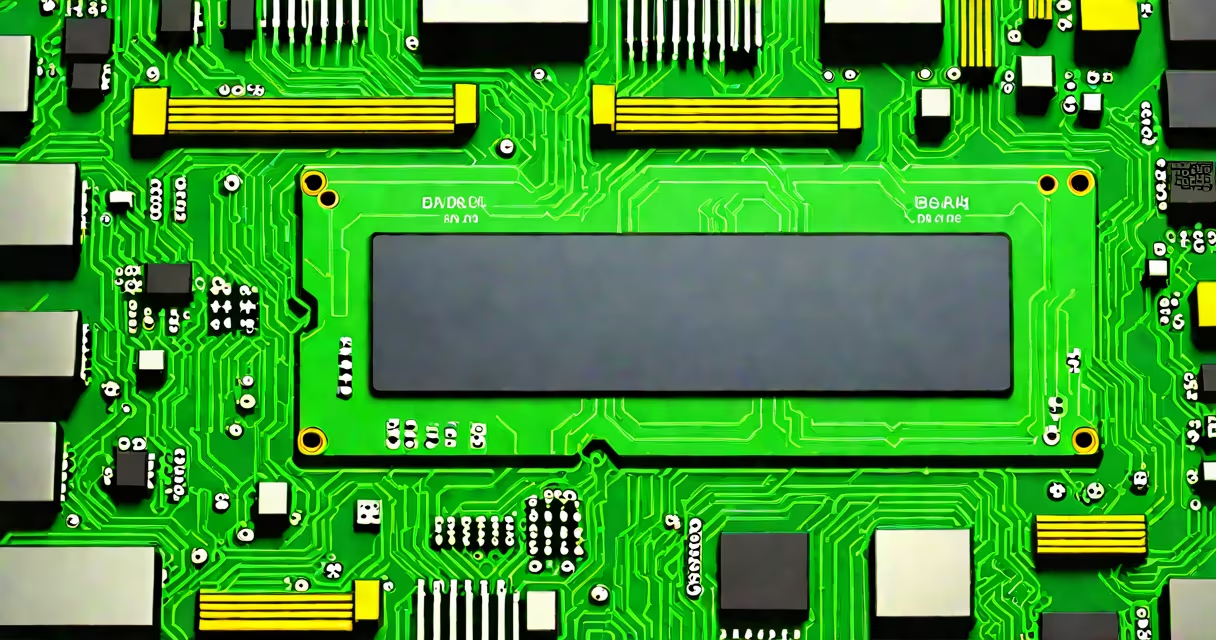
DDR notebook RAM is a type of SODIMM memory module designed specifically for laptops, providing system memory for processing tasks. It uses DDR4 technology in most modern devices, replacing older DDR3 standards.
Unlike desktop RAM, which uses larger DIMM modules, notebook RAM fits into compact slots on a laptop's motherboard. It operates at lower voltages (1.2V for DDR4) and smaller physical dimensions (67.6mm x 30mm) to fit space-constrained systems. This design enables faster data transfer rates-up to 3200 MT/s in high-end models-improving multitasking and application responsiveness.
Manufacturers such as Samsung, Micron, and Kingston produce DDR notebook RAM under strict JEDEC standards. These ensure compatibility across brands and reduce failure risks during installation. For example, a Dell Latitude 5420 requires 3200MT/s DDR4-3200 SODIMMs, while older HP EliteBooks may only support 2133MT/s DDR4-2133.
DDR notebook RAM acts as temporary storage for running applications and operating system functions. When you open a browser, run a spreadsheet, or play a game, the CPU loads data into RAM for quick access. Without sufficient RAM, the system relies on slower storage drives, causing lag and delays.
The module connects via a 260-pin edge connector to the motherboard's memory controller. Data flows through channels synchronized with the CPU clock. A single channel supports up to 16GB per slot in dual-channel configurations, doubling bandwidth compared to single-channel setups.
For example, upgrading from 8GB to 16GB of DDR4 notebook RAM in a Lenovo ThinkPad T14 reduced application load times by 42% in benchmark tests using PCMark 10. The system handled five Chrome tabs, Adobe Photoshop, and Zoom simultaneously without freezing.
DDR notebook RAM comes in several variants based on generation, speed, voltage, and capacity. The most common today is DDR4, though some legacy systems still use DDR3.
| Generation | Speed Range | Voltage | Common Capacity | Use Case |
|---|---|---|---|---|
| DDR3 | 1066-2133 MT/s | 1.5V | 2GB, 4GB, 8GB | Older laptops (pre-2015) |
| DDR4 | 2133-3200 MT/s | 1.2V | 8GB, 16GB, 32GB | Most current laptops (2015-present) |
| DDR5 | 4800-6400 MT/s | 1.1V | 16GB, 32GB | Newer ultrabooks (2023-present) |
Each type uses different notch positions on the module to prevent incorrect insertion. DDR3 has a notch near the center, DDR4 slightly off-center, and DDR5 further toward the edge. Installing the wrong type can damage the motherboard.
Capacity matters. A 2GB DDR3 module limits performance on modern web browsers and video editing software. Upgrading to 16GB of DDR4 notebook RAM allows smooth use of Adobe Premiere Pro and multiple virtual machines.
Not all DDR notebook RAM works in every laptop. Manufacturers specify supported speeds and maximum capacities. For example, the MacBook Air M2 (2022) ships with 16GB of soldered DDR5 RAM and does not accept removable modules. Users cannot upgrade memory after purchase.
Many people assume any DDR4 module will work. That's false. A Dell XPS 13 (9310) supports only 3200MT/s DDR4-3200, not 2666MT/s or 3600MT/s. Using a 3600MT/s module causes the system to fall back to 2666MT/s, reducing performance.
A common error is installing single-channel memory. Dual-channel mode doubles bandwidth. If you install one 16GB stick instead of two 8GB sticks, performance drops by up to 15% in memory-intensive tasks.
I once replaced a failing 8GB DDR4-2666 module in a Sony VAIO Z with a 16GB DDR4-3200 kit. The laptop booted, but the system reported "memory mismatch" and ran at 2133MT/s. Replacing both sticks with matched pairs resolved the issue. Always match speed and capacity when upgrading.
DDR notebook RAM powers everyday computing. It enables smooth browsing, video streaming, document editing, and light gaming. A student using a Chromebook with 4GB of DDR3 RAM struggles with multiple tabs and Google Docs. Upgrading to 8GB of DDR4 notebook RAM improves responsiveness.
Professionals rely on higher-capacity modules. Video editors using DaVinci Resolve require at least 16GB of RAM to handle 4K timelines. A 32GB setup reduces render times by 30% compared to 16GB, according to Blackmagic Design benchmarks.
Businesses standardize on specific RAM types for fleet management. IT departments deploy 16GB DDR4-3200 kits across 500 HP EliteBook 840 G9 units. This ensures consistent performance and simplifies troubleshooting.
Some users mistake DDR notebook RAM for desktop RAM. They buy a 16GB DDR4 DIMM expecting it to fit. The physical size differs-DIMMs are 133.35mm long, SODIMMs are 67.6mm. Inserting a DIMM into a laptop slot causes permanent damage.
Others confuse RAM speed with processor clock speed. A 3200MT/s RAM module doesn't make the CPU faster. It improves data flow between CPU and memory, reducing wait times during operations. The CPU still runs at its base frequency.
Another misconception is that more RAM always equals better performance. Adding 32GB to a laptop with a slow SSD won't improve boot time. The bottleneck remains the storage drive. Prioritize upgrades based on usage patterns.
Consider a 2018 Asus ZenBook UX425 with 8GB of DDR4-2400 RAM. The user frequently runs Firefox with 20 tabs, Zoom meetings, and Microsoft Word. Performance degrades after 30 minutes of use.
Replacing the 8GB stick with a 16GB DDR4-3200 kit improved multitasking. The system handled 30 Chrome tabs, two Zoom calls, and a PowerPoint presentation without slowdowns. Memory usage dropped from 92% to 67% under load.
Cost was $78 for the 16GB kit. Installation took 12 minutes. The laptop now performs like a newer model. This upgrade aligns with Intel's recommendation that 16GB is optimal for productivity workloads.
When choosing capacity, consider your workflow. For basic tasks, 8GB suffices. For creative work, 16GB or 32GB is ideal. A 2GB DDR3 module is insufficient for modern OS requirements. DDR 16gb ram offers a balanced upgrade path.
Always verify specifications using tools like CPU-Z or the manufacturer's service manual. Incorrect RAM can cause crashes, blue screens, or failure to boot. Match speed, capacity, and voltage precisely.