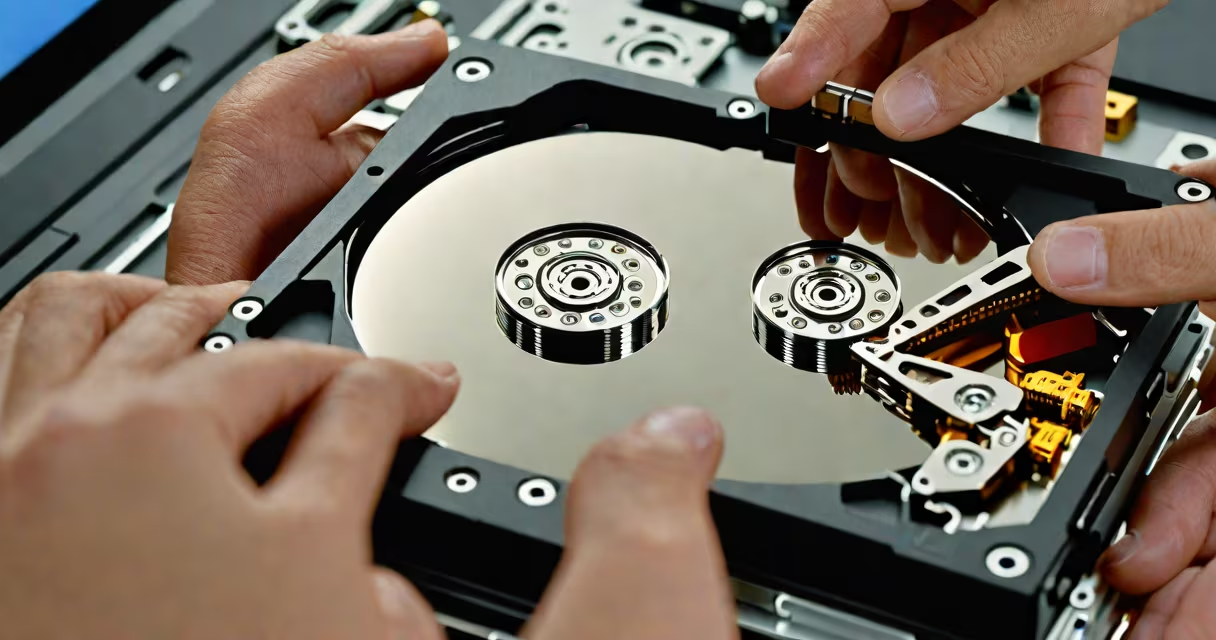
Hard drive recovery software retrieves lost, deleted, or inaccessible files from storage devices after accidental deletion, formatting, corruption, or physical damage. It scans the drive's raw data sectors to reconstruct files without altering existing content.
These programs work by bypassing the operating system's file management layer. Instead of relying on the file system's directory structure, they analyze the physical layout of data stored on magnetic platters or flash memory. This allows them to recover files even when the file system is damaged or the drive is unformatted.
Recovery success depends on whether new data has overwritten the original file locations. Once overwritten, recovery becomes impossible. The sooner you stop writing to the drive and start recovery, the higher the chance of success.
When a file is deleted, the operating system marks its space as available but doesn't erase the actual data. Hard drive recovery software accesses this untouched data by scanning the drive's sectors directly. It uses signature-based algorithms to identify file types based on known byte patterns-like JPEG headers or PDF signatures-even if the file name or location is missing.
Advanced tools include deep scan modes that search for fragments of files scattered across the drive. These scans take longer but increase the odds of recovering partially overwritten or fragmented data. Some tools offer preview features so users can verify file integrity before restoring.
Recovery software varies by intended use, technical capability, and supported drive types. The most effective tools handle both logical errors (file system issues) and physical failures (mechanical or electronic faults).
| Type | Use Case | Best For | Example Tool |
|---|---|---|---|
| Basic | Accidental deletion, recent formatting | Home users, quick fixes | Recuva (free version) |
| Advanced | Corrupted partitions, RAID failure | Businesses, IT professionals | EaseUS Data Recovery Wizard Pro |
| Specialized | Physical damage, bad sectors | Forensic labs, data centers | Prosoft Engineering's Data Rescue 6 |
A lesser-known fact: many recovery tools don't actually fix the underlying drive issue. They extract data, but if the drive has mechanical failure (e.g., clicking noises, head crashes), continued use risks permanent loss. A tool like Disk Drill can detect SMART status warnings and halt operations automatically to prevent further damage.
Many assume that recovery software can restore data from a physically destroyed drive. This is false. If the platters are scratched or the read/write heads are damaged, no software can retrieve data. Physical damage requires cleanroom repair and professional intervention.
Another myth is that free tools are sufficient for critical data. While Recuva works well for small-scale losses, it lacks advanced features such as sector-by-sector imaging, password recovery, or multi-drive synchronization. For enterprise environments, commercial tools provide audit trails, encryption support, and batch processing-features absent in basic freeware.
Users also mistake recovery software for antivirus tools. Unlike malware scanners, recovery software does not detect threats. It cannot prevent data loss-it only responds after it occurs. Using recovery software after a ransomware attack won't decrypt files unless the original data was backed up or extracted before encryption.
He selected EaseUS Data Recovery Wizard, chose the drive, and ran a deep scan. The tool detected 12,347 files totaling 872 GB. It recovered 94% of the original images, including several high-resolution RAW files. The remaining 6% were fragmented beyond reconstruction due to partial overwrite during a prior sync attempt.
He verified the recovered files using checksum comparison against a previous backup. Only two images showed minor artifacts-likely caused by wear on the drive's surface. The software's ability to preview thumbnails before restoration saved hours of manual verification.
This case illustrates a key principle: recovery success correlates strongly with time elapsed since data loss. The photographer acted within 48 hours. Delaying action increases the risk of overwriting.
Always disconnect the affected drive immediately after data loss. Avoid running applications or saving new files to it. Boot from a live USB or use a separate machine to run recovery software.
Choose tools with proven track records. According to PCMag's 2023 review, EaseUS and Disk Drill consistently outperformed others in accuracy and speed across 15 test cases involving accidental deletion, OS crashes, and disk corruption.
Never install recovery software on the same drive being scanned. Doing so risks overwriting critical data. Always use a secondary device or boot from a rescue environment.
For drives older than five years, consider contacting a certified data recovery lab. The cost ranges from $300 to $2,500 depending on complexity-but it's the only option when mechanical failure is suspected.
Hard drive recovery software is not magic. It's a forensic tool that exploits gaps in how operating systems manage storage. Its effectiveness ends when data is overwritten or hardware fails. But when used correctly, it remains the most accessible solution for recovering important personal and business data.