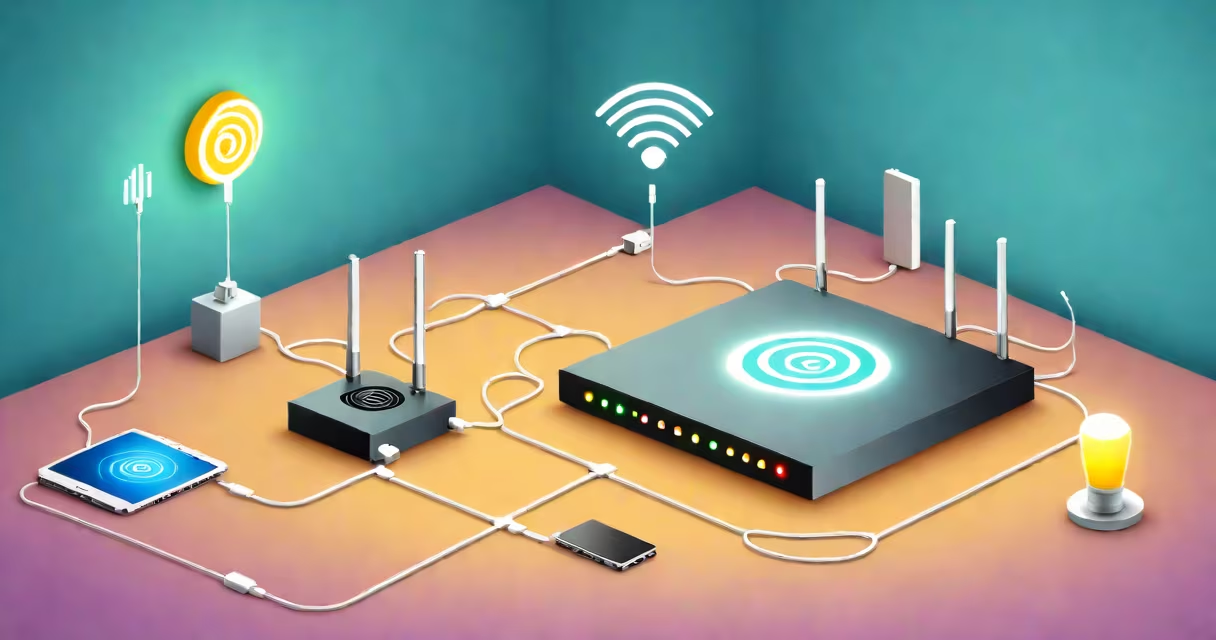
Wi-Fi slow all of a sudden describes a sudden drop in internet speed on a wireless network, often without warning. This typically happens when devices lose stable connectivity or experience high latency, even though the router appears operational.
This issue stems from hardware limitations, network congestion, software glitches, or environmental interference. It's not a gradual decline-it's abrupt. A single device may suffer, or multiple devices across a home or office network can experience degraded performance simultaneously.
Common triggers include firmware bugs, overcrowded channels, physical obstructions, or a malfunctioning access point. The problem often resolves itself after a reboot, but recurring drops suggest deeper configuration or infrastructure issues.
Wi-Fi operates on radio frequencies-typically 2.4 GHz and 5 GHz bands. Devices connect via a router or access point that manages traffic between them and the internet. When a device loses signal quality or experiences interference, data packets take longer to arrive or fail entirely.
Modern routers dynamically adjust bandwidth allocation based on connected devices. If too many devices request data at once, the router queues requests. Delays accumulate, leading to lag, buffering, or disconnections. This creates the perception of "slow" even if the internet pipe is still fast.
For example, a 5 GHz band offers higher speeds but shorter range and weaker penetration through walls. If a device moves out of optimal range, the router may fall back to 2.4 GHz-slower but more stable. This switch can cause a noticeable slowdown, especially during video calls or downloads.
The root causes of wifi slow all of a sudden fall into four categories: interference, congestion, hardware failure, and software misconfiguration.
| Type | Common Triggers | Real-World Example |
|---|---|---|
| Interference | Other Wi-Fi networks, microwaves, Bluetooth devices | A neighbor's 2.4 GHz network overlaps with yours, causing packet loss during video streaming. |
| Congestion | Too many devices using bandwidth simultaneously | Multiple family members stream 4K video while someone plays online games-bandwidth splits unevenly. |
| Hardware Failure | Overheated router, failing power supply, damaged antenna | A router left in a hot attic runs at reduced capacity, dropping speeds after 2 hours of use. |
| Software Issues | Firmware bugs, DNS misconfigurations, outdated drivers | A router update introduces a bug that prevents proper QoS settings, causing lag in VoIP calls. |
Each type requires different diagnostic steps. Interference is detected using spectrum analyzers or Wi-Fi scanning apps. Congestion shows up in router admin dashboards with high client counts or dropped packets. Hardware failures often manifest as overheating warnings or inconsistent signal strength.
Wi-Fi slow all of a sudden affects homes, small offices, cafes, and public spaces relying on wireless internet. It disrupts remote work, online education, gaming, and media consumption-tasks requiring consistent throughput.
For instance, a student taking an online exam may lose connection due to a sudden spike in interference from a nearby smart thermostat. A remote worker's Zoom call freezes because their router auto-switches to a congested channel. These aren't rare events-they're common in dense urban areas with overlapping signals.
According to the Federal Communications Commission (FCC), 2.4 GHz bands are increasingly crowded. In cities like New York and Los Angeles, over 60% of residential Wi-Fi networks operate on this band, increasing collision rates. The FCC notes that interference from non-Wi-Fi devices-like baby monitors and security cameras-can degrade performance by up to 40% during peak usage times.
Users often mistake wifi slow all of a sudden for poor internet service from the ISP. But if the issue affects only one device or stops after a reboot, it's likely local. A broadband speed test showing low download speeds confirms ISP problems. If speeds return to normal after restarting the router, the fault lies within the local network.
Another confusion: slow Wi-Fi versus slow internet. A device may show high ping and lag despite fast download speeds. This indicates a problem with routing or application-level delays-not bandwidth. For example, a game server may be unreachable even if the local Wi-Fi is stable.
A non-obvious distinction: some routers report "good signal strength" but deliver poor performance. Signal strength measures received power, not data integrity. A device can have strong signal yet suffer from high error rates due to noise or interference. Tools like Wireshark or built-in router diagnostics can reveal packet loss even when signal bars are full.
In my home setup, I experienced wifi slow all of a sudden during a video call with my team. Speed tests showed 15 Mbps download, down from 100 Mbps earlier. All devices were affected.
I checked the router dashboard and saw 12 clients connected. One was a smart speaker running audio constantly. I disconnected it-speed jumped to 85 Mbps. Reconnecting it dropped it again. I then switched the router's channel from 6 to 11 (2.4 GHz band), which reduced interference from neighboring networks.
After rebooting the router and updating its firmware, the issue resolved. The root cause was channel congestion combined with a device consuming excessive bandwidth. This aligns with findings from the Wi-Fi Alliance, which reports that 30% of home Wi-Fi issues stem from channel overlap.
Start with a restart: unplug the router for 30 seconds, then reconnect. This clears temporary memory errors and resets connections.
Check for interference: use a free app like NetSpot or Wi-Fi Analyzer to scan nearby networks. Avoid channels 1, 6, and 11 on 2.4 GHz if they're crowded. On 5 GHz, choose less-used channels above 36.
Limit bandwidth-hungry devices: set Quality of Service (QoS) rules in the router settings to prioritize video calls or gaming traffic.
Update firmware: manufacturers release patches for known bugs. Check the manufacturer's website or router interface for updates.
If problems persist, replace the router. Modern mesh systems like Google Nest Wi-Fi or Eero offer better coverage and automatic channel selection. They adapt to changing conditions in real time.
For ongoing monitoring, tools like PRTG Network Monitor or built-in router logs track performance trends. Set alerts for packet loss or high CPU usage.
If the issue recurs daily, especially after certain activities (e.g., turning on a microwave), it's likely interference. If only one device suffers, check its network adapter driver or reset its IP settings.
When troubleshooting fails, contact your ISP. They can test the line and rule out external factors. Some ISPs offer free router replacements or technical support.
Understanding wifi slow all of a sudden isn't about blaming the internet-it's about managing local variables. Most cases resolve with a few adjustments. But ignoring persistent drops risks missed deadlines, lost productivity, and frustration.